Blog
How to Boost Agent Productivity with AI Automation
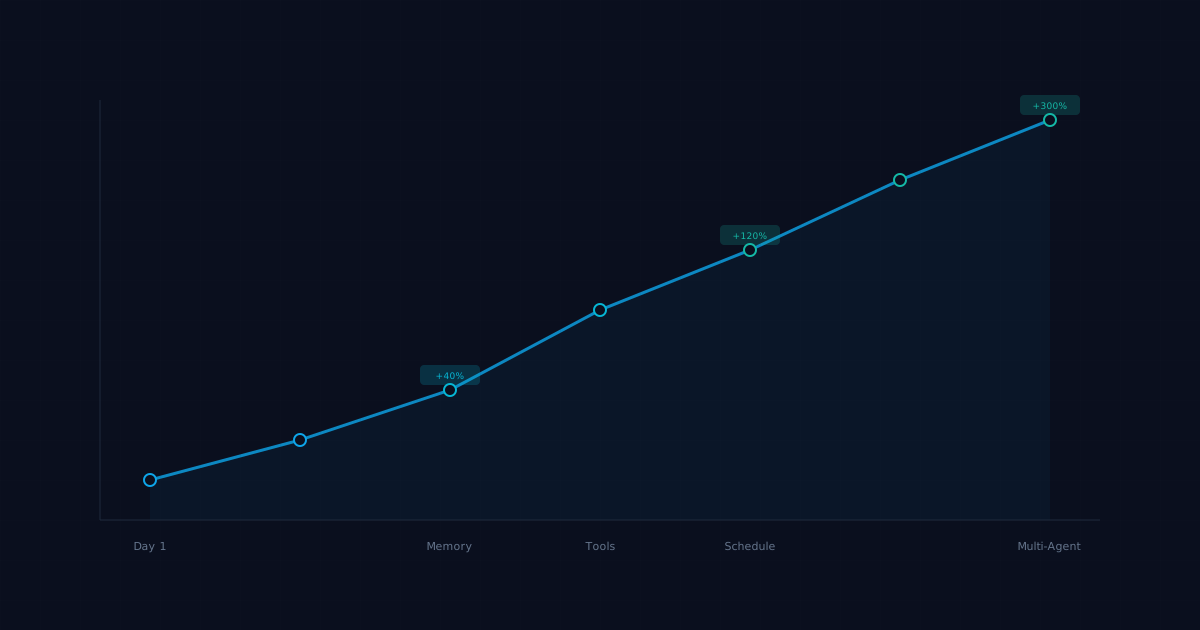
Most AI agents operate at a fraction of their potential. They repeat work, lose context between sessions, use the wrong tools for simple tasks, and burn tokens on unnecessary reasoning. Here's how to fix that and make your agents genuinely productive.
The Productivity Problem
A typical out-of-the-box AI agent wastes time in three ways:
1. Context loss — every session starts from scratch, so the agent re-discovers things it already knew
2. Tool misuse — the agent uses expensive, slow tools for tasks that could be handled with simpler ones
3. Over-reasoning — the agent writes paragraphs of internal monologue before taking a straightforward action
Fixing these three issues alone can cut task completion time by 40 to 60 percent.
Strategy 1: Build a Memory System That Actually Works
Memory is the single biggest productivity lever for AI agents. An agent with good memory is like an employee who's been on the job for months. An agent without it is like a new hire on their first day, every day.
Daily logs
Create a daily log file that the agent appends to throughout the day:
# memory/daily/2026-03-31.md

## Tasks completed
- Deployed blog update to Vercel (commit abc123)
- Responded to 3 support tickets
- Scheduled meeting with vendor for Thursday

## Decisions made
- Chose Postgres over SQLite for the new analytics feature (needs concurrent writes)
- Postponed newsletter to next week (waiting on case study approval)

## Open items
- PR #47 needs review from Kevin
- Waiting on API key from Stripe support
Long-term memory
Distill daily logs into a curated MEMORY.md that captures lasting context:
# MEMORY.md

## User preferences
- Prefers bullet lists over paragraphs
- Reviews PRs in the morning, meetings in the afternoon
- Uses Tailscale for all internal services

## Active projects
- Blog content pipeline (daily, automated)
- Analytics dashboard (in progress, target: April 15)
Project-specific memory
For complex projects, maintain dedicated files:
# memory/projects/analytics-dashboard.md

## Stack decisions
- React + Recharts (chosen over D3 for simpler maintenance)
- Supabase backend (team already has experience)

## Known issues
- Chart rendering breaks on mobile Safari < 17
- API rate limit: 100 req/min from data provider
The key is making memory *retrieval* fast. Use memory_search to find relevant context before starting any task.
Strategy 2: Right-Size Your Models
Not every task needs your most powerful (and expensive) model. Match model capability to task complexity:
Use smaller/faster models for:
- Simple file operations and formatting
- Status checks and notifications
- Routine data lookups
- Template-based content generation
Use larger models for:
- Complex reasoning and planning
- Code architecture decisions
- Nuanced writing and editing
- Multi-step problem solving
In OpenClaw, you can set per-session model overrides:
# Default to a fast model
model: anthropic/claude-sonnet-4

# Override for complex tasks
model: anthropic/claude-opus-4
This alone can cut LLM costs by 50 to 70 percent while maintaining quality where it matters.
Strategy 3: Optimize Your Tool Stack
Tools are where agents spend most of their execution time. Optimize by:
Eliminating unnecessary tool calls
Before adding a new tool, ask: does the agent really need this, or can it accomplish the same thing with existing tools? Every tool adds latency and potential failure points.
Batching operations
Instead of making 10 separate API calls, batch them:
# Bad: 10 separate calls
for item in items:
    api.get(item.id)

# Good: 1 batched call
api.get_many([item.id for item in items])
Caching results
If the agent queries the same data repeatedly, cache it:
# TOOLS.md note
Weather API: cache results for 2 hours. No need to re-query within that window.
GitHub issues: refresh every 30 minutes max.
Using the right tool for the job
A common mistake is using web search for something that's available locally. If the agent has a file on disk with the answer, reading the file is 100x faster than searching the web.
Strategy 4: Write Better Agent Instructions
Vague instructions produce vague results. Compare:
Vague: "You're a helpful assistant."
Specific:
# SOUL.md
You are a DevOps automation agent.
Primary tasks: deploy code, monitor services, respond to alerts.
Tools you use: GitHub CLI, Docker, SSH, monitoring APIs.
Rules:
- Always check service health after deployments
- Rollback automatically if health check fails within 5 minutes
- Never delete production data without explicit approval
- Log every action to the daily memory file
Specific instructions eliminate the reasoning loop where the agent tries to figure out what you want. That saves tokens and time on every single task.
Strategy 5: Implement Smart Scheduling
Proactive agents beat reactive ones. Instead of waiting for commands, schedule routine work:
Morning briefing (8 AM)
- Check email for overnight messages - Review calendar for today's meetings - Pull any failed CI/CD runs from GitHub - Summarize in a single digest messageMidday check (12 PM)
- Monitor project progress - Flag any blocked tasks - Check for new support ticketsEnd of day (5 PM)
- Update daily memory log - Push any pending git commits - Queue tomorrow's prioritiesThis pattern means the agent handles routine oversight automatically, and you only get pulled in for decisions that actually need you.
Strategy 6: Build Feedback Loops
Agents get better when they learn from mistakes. Create feedback mechanisms:
Error logging
# memory/resources/lessons-learned.md

## 2026-03-28: Deployment failure
- Root cause: forgot to set NODE_ENV=production
- Fix: added env check to deploy script
- Prevention: always verify env variables before deploy

## 2026-03-25: Email sent to wrong recipient
- Root cause: auto-complete matched wrong contact
- Fix: added confirmation step for external emails
- Prevention: require explicit approval for first-time recipients
Performance tracking
Keep a simple scorecard:
Week of 2026-03-24:
- Tasks completed: 47
- Tasks requiring human intervention: 6 (13%)
- Average completion time: 4.2 minutes
- Errors: 2 (both caught and corrected automatically)
Track these weekly. If intervention rates climb, your instructions or tools need adjustment.
Strategy 7: Use Multi-Agent Patterns
One agent trying to do everything is like one employee handling engineering, marketing, QA, and DevOps. Specialist agents outperform generalists.
The orchestrator pattern
One agent (the orchestrator) receives all tasks and routes them to specialists:
User request → Orchestrator
  → Engineering task? → Send to Marv
  → Documentation? → Send to Penny
  → Testing? → Send to Kevin
  → DevOps? → Send to Dexter
Each specialist has focused tools, focused memory, and focused instructions. They're better at their domain because they don't carry the overhead of being good at everything.
When to use multi-agent vs. single agent
Single agent works for:
- Personal assistant tasks
- Simple, well-defined workflows
- Low task volume (fewer than 10 tasks per day)
Multi-agent works for:
- Teams or businesses with diverse task types
- High task volume
- Tasks that require different expertise areas
- Workflows where quality matters more than speed
Measuring Productivity Gains
After implementing these strategies, track:
- Task completion rate — what percentage of tasks finish without human help?
- Time to completion — how long from task assignment to done?
- Token efficiency — tokens consumed per completed task (lower is better)
- Error rate — how often does the agent produce incorrect results?
- Proactive value — how many issues did the agent catch before you noticed?
Most teams see a 2x to 5x improvement in agent productivity after systematic optimization.
FAQ
How long does it take to see productivity improvements?
Memory system improvements show results immediately (next session). Tool optimization and instruction tuning take a few days of iteration. Full multi-agent setups take 1 to 2 weeks to stabilize.Will optimizing for productivity reduce output quality?
Not if done correctly. Right-sizing models means using powerful models for complex tasks and lighter ones for simple work. Quality stays the same or improves because the agent focuses its cognitive budget where it matters.How do I know if my agent is underperforming?
If the agent frequently asks clarifying questions, repeats work it's done before, takes more than a few minutes on routine tasks, or requires regular human intervention, there's room for improvement.Can I apply these strategies to any AI agent framework?
Yes. Memory, tool optimization, and instruction quality are universal concepts. The specific implementation differs between frameworks (OpenClaw uses markdown files, LangChain uses vectorstores, etc.), but the principles apply everywhere.What's the biggest single improvement I can make?
Implement persistent memory. An agent that remembers context across sessions is fundamentally more productive than one that starts fresh every time. It's the closest thing to a silver bullet in agent optimization.How often should I review and update agent instructions?
Review weekly for the first month, then monthly once things stabilize. Update instructions whenever you notice the agent making the same mistake twice or when your workflows change.Is it worth investing time in agent productivity for personal use?
Absolutely. Even a personal agent handling email triage, calendar management, and simple research tasks saves 5 to 10 hours per week once properly tuned. That's over 250 hours per year.Related posts
View allAgent Productivity: How to Get More Useful Work From an AI Agent
April 7, 2026
Learn how to improve agent productivity with better scope, instructions, sessions, skills, and approvals so your AI agent produces more useful work.
Agent Productivity: How to Reduce Busywork With Better Automation
April 7, 2026
Learn how to improve agent productivity by cutting busywork, choosing better automation targets, and building cleaner workflows in OpenClaw.
Improve Agent Productivity With Better Workspace Rules and Skills
April 7, 2026
Learn how to improve agent productivity by tightening workspace files, skills, task boundaries, and approval flows instead of just switching models.