Blog
AI Agents for Workflow Automation: A Practical Guide
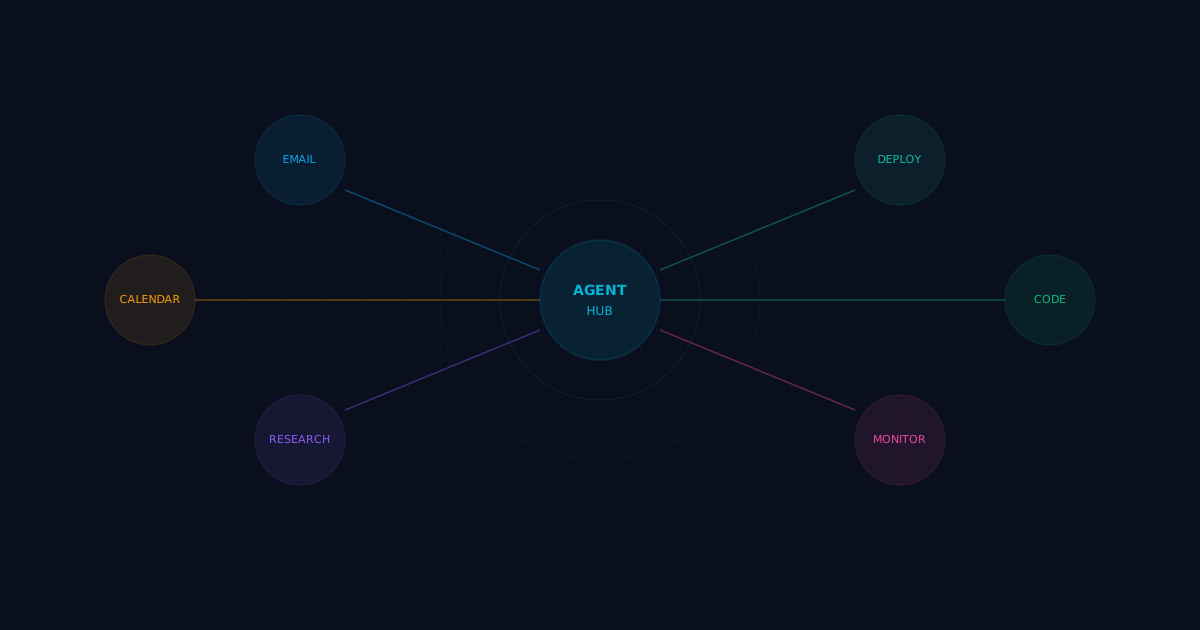
AI agents for workflow automation replace manual, repetitive processes with autonomous software that reasons, decides, and acts on your behalf. Instead of building rigid if-then rules, you give an agent a goal, and it figures out the steps.
Why AI Agents Beat Traditional Automation
Traditional automation tools (Zapier, Make, Power Automate) are great at connecting services with predefined triggers and actions. But they break down when:
- The process requires judgment calls
- Input formats vary unpredictably
- You need to handle edge cases without writing new rules for each one
- The workflow spans multiple tools that don't have native integrations
AI agents fill this gap. They use language models to interpret instructions, reason about context, and call tools dynamically. The difference is adaptability: a Zapier flow does the same thing every time, while an agent adapts to what it encounters.
Real-World Workflow Automation Examples
Email triage and response drafting
Without agents: You scan 50 emails manually, flag the important ones, and draft responses.
With agents: The agent checks your inbox every hour, categorizes messages by urgency and topic, drafts responses for routine inquiries, and flags anything that needs your personal attention. Total human effort: reviewing a few flagged items.
Meeting preparation
Without agents: You Google the person, check LinkedIn, review past emails, and write notes.
With agents: The agent pulls CRM data, recent email history, LinkedIn profiles, company news, and prior meeting notes. It generates a briefing document with talking points, potential objections, and suggested follow-ups. Ready 30 minutes before your meeting, without you lifting a finger.
Content publishing pipeline
Without agents: You research keywords, write the article, create images, format for your CMS, optimize meta tags, and publish.
With agents: The agent researches keywords using SEO tools, writes the article based on target keywords and your style guide, generates hero images, handles frontmatter and formatting, builds the project, commits to Git, and deploys. You review the final output.
DevOps monitoring and response
Without agents: PagerDuty wakes you up at 3 AM. You SSH into the server, check logs, identify the issue, and fix it.
With agents: The agent detects the alert, reads recent logs, identifies the root cause, applies a known fix (or rolls back the deployment), verifies the fix worked, and sends you a summary in the morning. If it can't resolve the issue automatically, it escalates with full diagnostic context attached.
How Agent Workflow Automation Works
The typical architecture has five layers:
1. Trigger layer
What kicks off the workflow. Could be a schedule (cron), an incoming message, a webhook, a file change, or a manual request.2. Orchestration layer
The brain that receives triggers and decides what to do. This is where the LLM reads the task, checks its instructions, and plans the execution.3. Tool layer
The hands that do the actual work. Tools include web search, file operations, API calls, database queries, email sending, and anything else the agent needs to interact with.4. Memory layer
The persistence that keeps context across sessions. Without memory, the agent starts from zero every time. Good memory systems store user preferences, project state, prior decisions, and learned patterns.5. Output layer
How results get delivered. Could be a chat message, an email, a file, a deployed website, or an API response.Getting Started: Your First Automated Workflow
Let's build a practical example: an agent that monitors a GitHub repository and summarizes new issues every morning.
Step 1: Set up the agent
Create an agent with a clear purpose:
# SOUL.md
You are a GitHub issue tracker.
Every morning, check the repo for new issues opened in the last 24 hours.
Summarize them in a bullet list with priority labels.
Deliver the summary to Telegram.
Step 2: Configure tools
The agent needs:
- GitHub CLI (gh) for issue listing
- Messaging tool for delivery
- Memory for tracking what's already been reported
Step 3: Schedule the trigger
schedule:
  kind: cron
  expr: "0 9 * * *"
  tz: America/Chicago
payload:
  kind: agentTurn
  message: "Check for new GitHub issues in the last 24 hours and send summary."
Step 4: Let it run
The agent will:
1. Query gh issue list --state open --json number,title,labels,createdAt
2. Filter for issues created since yesterday
3. Format a summary with issue numbers, titles, and priority labels
4. Send the summary to your configured channel
5. Log the check in its daily memory file
Total setup time: about 15 minutes. Time saved per day: 10 to 20 minutes of manual GitHub checking. Over a year, that's 40 to 80 hours returned to you.
Choosing the Right Framework
Several frameworks support AI agent workflow automation:
| Framework | Best For | Learning Curve |
|-----------|----------|----------------|
| OpenClaw | Full lifecycle agent management, multi-agent orchestration | Moderate |
| LangChain | Custom chains and tool integration | Steep |
| CrewAI | Role-based multi-agent collaboration | Moderate |
| AutoGen | Research and conversational agents | Moderate |
| n8n + AI | Visual workflow builder with AI nodes | Low |
If you want an opinionated, batteries-included approach, OpenClaw handles identity, memory, skills, scheduling, and multi-agent coordination in one platform.
Common Mistakes to Avoid
Automating too much too fast. Start with one workflow. Get it reliable. Then expand. Trying to automate everything at once leads to brittle systems and frustrated debugging.
Skipping the identity file. A vague or missing SOUL.md produces inconsistent agent behavior. Be specific about what the agent should do, how it should communicate, and what it shouldn't touch.
Ignoring error handling. APIs go down. Rate limits hit. Files get locked. Your workflow needs retry logic, fallback paths, and clear escalation rules.
No approval gates for sensitive actions. Agents should not send emails, make purchases, or delete data without human approval. Build those checkpoints in from the start.
Forgetting about cost. Every LLM call costs money. A chatty agent making unnecessary API calls can run up bills quickly. Monitor usage and optimize prompts to reduce token consumption.
Measuring Success
Track these metrics to know if your agent workflows are actually helping:
- Time saved per week — compare manual task duration vs. automated
- Error rate — how often does the agent produce incorrect results?
- Escalation rate — how often does the agent need human intervention?
- Cost per task — LLM costs + API costs divided by tasks completed
- Coverage — what percentage of the workflow runs without human touch?
Good workflows should save at least 5x the time they take to maintain.
FAQ
Can AI agents replace all manual workflows?
Not all. Tasks requiring physical presence, genuine human judgment (hiring, legal decisions), or emotional intelligence still need humans. Agents excel at information processing, data transformation, scheduling, and repetitive digital tasks.How reliable are AI agent workflows?
Reliability depends on your setup. Well-configured agents with retry logic, fallback models, and clear error handling achieve 95%+ success rates on routine tasks. Complex, novel tasks have lower success rates and benefit from human-in-the-loop checkpoints.What happens when an agent makes a mistake?
Good frameworks log every action the agent takes. You can review logs, identify the failure point, and add guardrails to prevent recurrence. For critical workflows, always include approval steps before irreversible actions.Do AI agents work with existing tools like Slack, Jira, and Google Workspace?
Yes. Most agent frameworks support tool plugins or API integrations. OpenClaw has built-in skills for Slack, Google Workspace, GitHub, and dozens of other services.How much technical knowledge do I need?
Basic setup requires familiarity with markdown, YAML, and command-line tools. Building custom integrations may require Python or JavaScript knowledge. Many workflows can be configured without writing code.Is it safe to give AI agents access to my systems?
Use the principle of least privilege. Give agents access only to what they need. Implement approval policies for sensitive actions. Review agent logs regularly. Most frameworks support granular permission controls.What's the cost to run agent workflows?
A small team running 5 to 10 automated workflows typically spends $20 to $100 per month on LLM API costs. Costs scale with usage volume and model choice. Using smaller models for simple tasks keeps expenses down.Related posts
View allAI Workflow Automation Guide: How to Use Agents for Repetitive Work
April 7, 2026
Learn how AI workflow automation works, which repetitive workflows to automate first, and how OpenClaw helps you run useful agent-driven workflows.
AI Agent Runbook Template: How to Build Repeatable Agent Workflows
April 24, 2026
A practical AI agent runbook template for OpenClaw teams, including what to include, how to structure approvals and escalation, and how to turn one-off workflows into repeatable operations.
How to Install OpenClaw on Ubuntu
April 20, 2026
A practical guide to installing OpenClaw on Ubuntu, running onboarding, checking gateway health, and fixing the setup issues that trip up first-time installs.