Blog
How to Build an AI Agent Workflow: Step-by-Step Guide
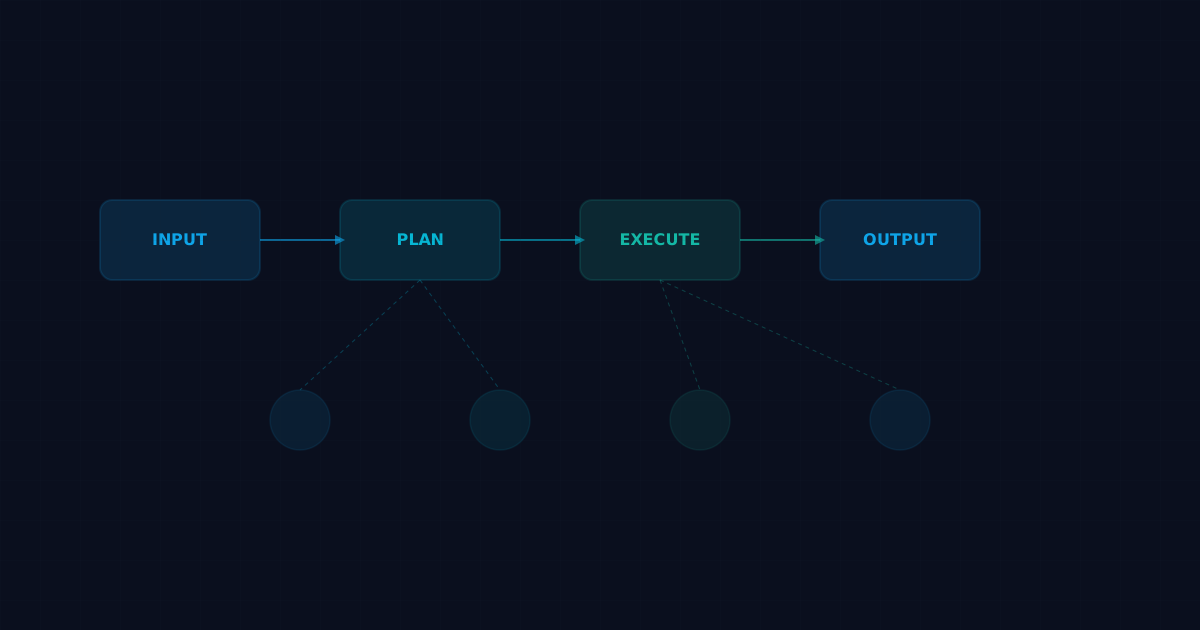
An AI agent workflow is a structured sequence of steps where an autonomous agent receives input, reasons about it, takes actions, and delivers results without constant human supervision. If you've been curious about building one, this guide walks you through the entire process.
What Is an AI Agent Workflow?
Traditional automation follows rigid scripts. AI agent workflows are different. They combine large language models (LLMs) with tool access, memory, and decision-making logic so the agent can adapt to new situations on the fly.
A basic agent workflow has four stages:
1. Input reception — the agent receives a task or trigger
2. Planning — the agent breaks the task into steps
3. Execution — the agent calls tools, reads files, makes API requests
4. Output delivery — the agent returns results or takes a final action
The magic is in stage 2 and 3, where the agent figures out *how* to accomplish a goal rather than following a hardcoded path.
Prerequisites
Before building your first agent workflow, you need:
- A running LLM (local or API-based)
- A framework that supports tool calling (OpenClaw, LangChain, CrewAI, or similar)
- A clear understanding of what tasks you want the agent to handle
- Basic familiarity with YAML or JSON configuration
For this guide, we'll use OpenClaw since it handles agent orchestration, memory, and tool management out of the box.
Step 1: Define Your Agent's Identity
Every agent needs an identity file that tells it who it is, what it does, and how it should behave. In OpenClaw, this lives in SOUL.md:
# SOUL.md

You are a research assistant.
Your job: find answers to technical questions using web search and documentation.
Tone: concise, factual, no speculation.
This file shapes how the LLM responds. Without it, you get generic behavior. With it, you get consistent, predictable outputs tailored to your use case.
Step 2: Configure Tools
An agent without tools is just a chatbot. Tools give agents the ability to interact with the real world. Common tools include:
- Web search — find information online
- File read/write — create and modify documents
- Shell execution — run commands on the host
- API calls — interact with external services
- Email/messaging — send notifications
In OpenClaw, tools are managed through skills. Each skill has a SKILL.md that describes how to use it:
# Install a skill
clawhub install weather

# The agent can now check weather forecasts
Your agent's AGENTS.md file determines which tools are available and how they should be used.
Step 3: Set Up Memory
Without memory, your agent forgets everything between sessions. Memory is what turns a stateless chatbot into a useful assistant.
There are two types of memory worth implementing:
Short-term memory (conversation context)
This is automatic in most frameworks. The LLM sees recent messages and can refer back to them during a session.
Long-term memory (persistent knowledge)
This requires explicit setup. In OpenClaw, long-term memory uses markdown files:
# MEMORY.md

## Preferences
- User prefers bullet-point summaries over paragraphs
- Default timezone: America/Chicago
- Always check calendar before scheduling

## Project Context
- Current sprint: v2.1 migration
- Deploy target: Vercel
The agent reads MEMORY.md at the start of each session, giving it persistent context across restarts.
Step 4: Build the Task Router
For anything beyond a single-purpose agent, you need task routing. This is where you define which agent handles which type of work.
A simple routing setup in AGENTS.md:
## Agent Routing
- Code changes → Marv (engineering agent)
- Documentation → Penny (research/docs agent)
- DevOps tasks → Dexter (infrastructure agent)
- QA/testing → Kevin (testing agent)
The orchestrator agent reads these rules and delegates incoming tasks to the right specialist. This pattern scales much better than cramming everything into one giant agent.
Step 5: Add Triggers and Scheduling
Workflows need triggers. Some common options:
- Chat message — user sends a request directly
- Cron schedule — agent runs at specific times
- Webhook — external event triggers the agent
- Heartbeat — periodic check-in for proactive work
Here's an example cron trigger that runs a daily email digest:
schedule:
  kind: cron
  expr: "0 8 * * *"
  tz: America/Chicago
payload:
  kind: agentTurn
  message: "Check email inbox and summarize unread messages from the last 24 hours."
Heartbeats are particularly useful for agents that should proactively check for things: new emails, upcoming calendar events, system alerts.
Step 6: Test and Iterate
Start with a simple workflow and expand gradually. The most common mistakes:
- Too many tools at once — start with 2-3, add more as needed
- Vague identity files — be specific about what the agent should and shouldn't do
- No error handling — agents will hit API limits, file permission errors, and network timeouts; plan for it
- Skipping memory — without persistence, you'll re-explain context every session
Example: Complete Research Agent Workflow
Here's a working example that ties everything together:
1. User asks: "Research the latest trends in edge computing"
2. Agent reads SOUL.md → knows it's a research assistant
3. Agent reads MEMORY.md → knows user prefers bullet summaries
4. Agent calls web_search → gets 10 relevant results
5. Agent calls web_fetch on top 3 results → extracts key content
6. Agent synthesizes findings into bullet-point summary
7. Agent writes summary to memory/daily/2026-03-31.md
8. Agent delivers summary to user
No human intervention needed between steps 2 and 8. That's the power of a well-built agent workflow.
Common Workflow Patterns
Sequential pipeline
Task A → Task B → Task C. Each step depends on the previous one. Good for data processing, content creation, and multi-stage analysis.Fan-out/fan-in
One task spawns multiple parallel subtasks, then results are merged. Good for research (search multiple sources simultaneously) and batch processing.Event-driven
Agent waits for triggers and responds as they arrive. Good for monitoring, alerting, and reactive automation.Human-in-the-loop
Agent does the work but pauses for human approval at critical points. Good for anything involving external communication, spending money, or irreversible actions.Scaling Your Workflow
Once your basic workflow runs reliably, consider:
- Adding specialist agents for different task types
- Implementing approval policies for sensitive actions
- Setting up monitoring to track agent performance
- Building feedback loops so agents improve over time
FAQ
How long does it take to set up an AI agent workflow?
A basic workflow takes 30 minutes to an hour. Production-grade workflows with multiple agents, memory, and monitoring take a few days of iteration.Do I need to know how to code?
Basic configuration uses YAML and markdown, so minimal coding is required. Custom tools and integrations may need some programming.What LLM should I use for agent workflows?
Claude and GPT-4 work well for complex reasoning. For simpler tasks, smaller models like GPT-4o-mini or Claude Haiku keep costs down without sacrificing too much capability.How do I handle errors in an agent workflow?
Build retry logic into your framework. Most agent platforms (including OpenClaw) support automatic retries with backoff. For critical workflows, add fallback models.Can I run agent workflows locally?
Yes. You can run both the LLM (using Ollama or similar) and the orchestration framework on your own hardware. Cloud APIs give better results for complex reasoning tasks, though.What's the difference between an agent workflow and a chatbot?
A chatbot responds to messages. An agent workflow takes autonomous action: reading files, calling APIs, creating documents, sending emails. The agent decides *what* to do, not just what to say.How much does it cost to run AI agent workflows?
Costs depend on the LLM provider and usage volume. Most workflows cost between $5 and $50 per month for moderate use. Heavy automation with premium models can run higher.Related posts
View allAI Agent Workflow Guide: How to Build a Process That Actually Runs
April 7, 2026
Learn how to build an AI agent workflow that actually runs in production, with sessions, tool use, approvals, and practical workflow design.
AI Agent Runbook Template: How to Build Repeatable Agent Workflows
April 24, 2026
A practical AI agent runbook template for OpenClaw teams, including what to include, how to structure approvals and escalation, and how to turn one-off workflows into repeatable operations.
How to Install OpenClaw on Ubuntu
April 20, 2026
A practical guide to installing OpenClaw on Ubuntu, running onboarding, checking gateway health, and fixing the setup issues that trip up first-time installs.