Blog
OpenClaw ACP Guide: How to Run Codex, Claude Code, and Gemini CLI in Persistent Sessions
Learn how OpenClaw ACP works, when to use it over sub-agents or MCP serve, and how to run Codex, Claude Code, and Gemini CLI in persistent bound sessions.
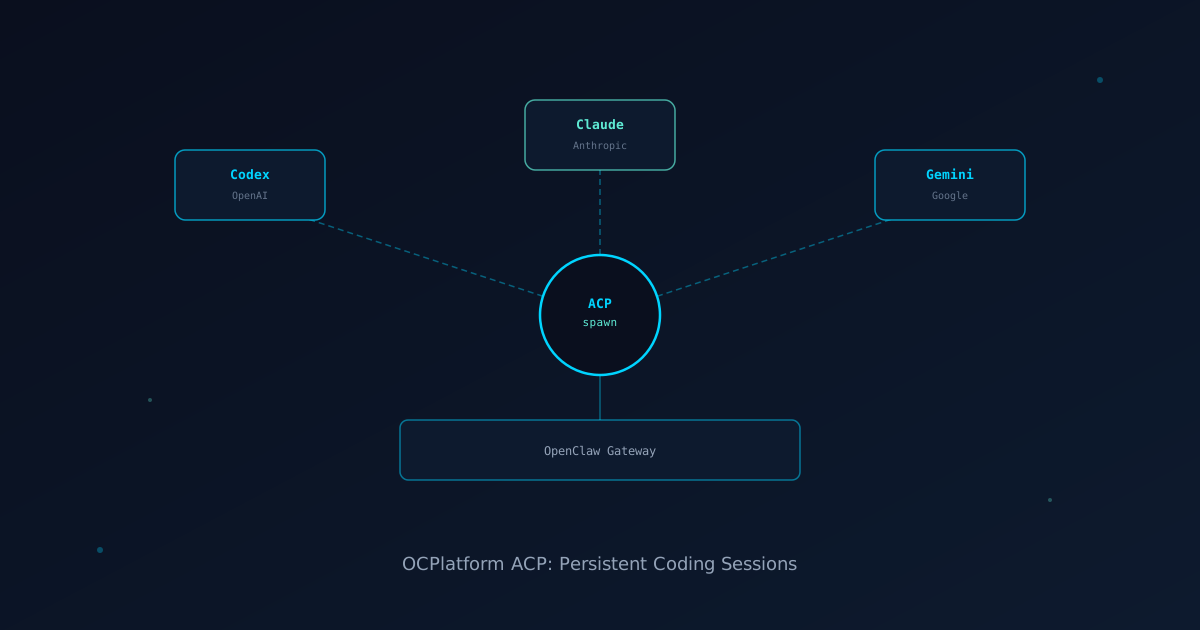
If you want to run Codex, Claude Code, or Gemini CLI inside OpenClaw and keep those sessions alive across messages, you want the ACP runtime. The short version: /acp spawn codex --bind here starts a persistent Codex session bound to your current conversation, and follow-up messages route to that same session until you close it.
That is what most people are looking for when they ask about running coding tools through OpenClaw.
ACP stands for Agent Client Protocol, and it is the layer that connects OpenClaw to third-party coding harnesses. This guide explains how it actually works, the difference between the two ACP surfaces that are easy to confuse, and how to use persistent sessions, thread binding, and runtime controls for Codex, Claude Code, and Gemini CLI.
If you are new to the platform, read what OpenClaw is and the multi-agent guide first. If you already know why ACP matters and want the practical runbook, keep reading.
ACP means two different things in OpenClaw
Before anything else, you need to know there are two ACP surfaces and they are often mixed up.
Surface 1: openclaw acp
This is where an editor or third-party client (like Cursor or a custom IDE) talks ACP to OpenClaw. OpenClaw acts as the ACP server. The client connects over stdio, and OCPlatform routes that work to a Gateway session.
Surface 2: ACP Agents (/acp spawn)
This is where OpenClaw runs an third-party harness like Codex, Claude Code, or Gemini CLI through an ACP backend plugin. OpenClaw is the controller, not the server.
The distinction matters because the docs are explicit:
- Use
openclaw acpwhen an editor or client wants to talk ACP to OpenClaw. - Use
/acp spawnand ACP Agents when OpenClaw should launch Codex, Claude Code, or Gemini as an ACP harness.
Most people asking "how do I run Codex inside OpenClaw" want the second option: ACP Agents.
Does ACP work out of the box?
Usually, yes.
Fresh installs ship with the bundled acpx runtime plugin enabled by default. OpenClaw probes and self-repairs the acpx binary on startup. Run /acp doctor if you want a quick readiness check before your first session.
What can still go wrong on first use:
- A harness adapter may need a first-run fetch via
npx. This happens the first time you use that specific harness. - Vendor auth needs to exist on the host for that harness. Codex needs an OpenAI key. Claude Code needs Anthropic auth.
- If the host has no network access, first-run adapter fetches will fail until caches are pre-warmed.
This is not unique to OpenClaw. Any tool that wraps Codex or Claude Code needs those same credentials on the host.
The practical runbook for ACP sessions
Step 1: Check readiness
/acp doctorThis confirms the acpx runtime is ready, checks the target harness adapter, and reports any missing dependencies.
Step 2: Spawn a session
The simplest form starts a one-shot Codex ACP session:
/acp spawn codexFor persistent work that should stay alive across messages:
/acp spawn codex --bind here--bind here pins the current conversation to the spawned ACP session. Every follow-up message in that conversation routes to the same Codex session until you close it.
For Claude Code:
/acp spawn claude --bind hereFor Gemini CLI:
/acp spawn gemini --bind hereStep 3: Work in the bound session
Once a session is bound, you interact with it naturally. You type a message, OpenClaw routes it to the harness, the harness runs the task, and the result comes back through OpenClaw's normal delivery layer.
You do not need to do anything special to keep it going. The session stays alive as long as you keep working, or until you explicitly close it.
Step 4: Check what is running
/acp statusThis shows active ACP sessions, their current state, and any errors worth knowing about.
Step 5: Tune runtime options
You can change settings mid-session without losing context:
/acp model anthropic/claude-opus-4
/acp permissions cautious
/acp timeout 120
These adjust the harness runtime in place.
Step 6: Steer without replacing context
If you want to adjust behavior without starting over:
/acp steer focus only on the failing tests, ignore unrelated code/acp steer nudges an active session with additional context or direction. It is useful when the session has drifted or you want to narrow the scope without resetting.
Step 7: Stop or close
To stop the current turn without closing the session:
/acp cancelTo close the session and clean up bindings:
/acp closeThread binding vs conversation binding
You have two ways to bind a session.
Current-conversation bind (--bind here): The current channel or chat stays the workspace. Follow-ups route to the same ACP session. On Discord, the channel stays the channel. No new thread is created by this bind alone.
Thread bind (--mode persistent --thread auto): This creates a dedicated thread for the ACP session. Useful when you want the coding work isolated from other conversations in the same channel.
/acp spawn codex --mode persistent --thread autoUse current-conversation bind for focused single-context work. Use thread mode when multiple things are happening in the same channel and you want the coding session to have its own space.
ACP vs sub-agents vs MCP serve
This is the question that trips people up most. Here is the quick breakdown:
| Situation | Right tool |
|---|---|
| Run Codex, Claude Code, or Gemini as a live harness with session controls | ACP agents (/acp spawn) |
| Delegate tasks to an OpenClaw-native agent that uses OpenClaw tools | Sub-agents (sessions_spawn, /subagents) |
| Let an third-party IDE or editor connect to an OpenClaw conversation | openclaw mcp serve |
| Let Codex or Claude Code join a live channel conversation via MCP | openclaw mcp serve |
The clearest rule: if you want an third-party coding harness with its own runtime controls, persistent sessions, and thread binding, use ACP agents. If you want to dispatch OpenClaw-native work to a delegated agent, use sub-agents.
How session keys work
ACP sessions get their own session key format: agent:<agentId>:acp:<uuid>.
Sub-agent sessions look different: agent:<agentId>:subagent:<uuid>.
This matters if you are debugging session state or inspecting what is running in the Gateway. ACP sessions show up as ACP sessions. They are tracked as background tasks in OpenClaw, not as ordinary chat turns.
The openclaw acp bridge (the other surface)
If you are building an IDE plugin or a custom tool that needs to talk ACP to OpenClaw, this is the surface you want.
# Local gateway
openclaw acp

# Remote gateway
openclaw acp --url wss://gateway-host:18789 --token-file ~/.openclaw/gateway.token
The bridge connects your ACP client to an OCPlatform Gateway. It routes prompts through the Gateway and exposes session controls, slash commands, and session list operations.
For most end users running Codex or Claude Code through chat, this is not the surface you need. You want /acp spawn.
Common mistakes with ACP
Mistake 1: Trying to use openclaw acp to run Codex from chat. That command is for third-party clients connecting to OCPlatform, not for running harnesses from within OpenClaw. If you want to run Codex from a chat message, use /acp spawn codex.
Mistake 2: Not setting up vendor auth first. OpenClaw can bootstrap the acpx runtime, but it cannot provide OpenAI or Anthropic credentials. Those need to exist on the host before the harness session can actually run. Check with /acp doctor.
Mistake 3: Assuming --bind here creates a thread. It does not. It pins the current conversation to the ACP session. If you want a thread, use --thread auto.
Mistake 4: Closing and reopening sessions for every task. For ongoing work, a persistent bound session is more efficient than spawning fresh for every prompt. The session maintains context and workspace state across turns.
FAQ
Does ACP work with every chat channel OpenClaw supports?
Thread binding requires channel support for threads. Current-conversation binding works on any channel. Check /acp doctor for channel-specific notes on the harness adapter and runtime readiness.
Can multiple people share the same ACP session?
The docs note that if multiple ACP clients share the same Gateway session key, event and cancel routing are best-effort rather than strictly isolated. For clean editor-local turns, use the default isolated acp:<uuid> sessions.
What happens if the harness crashes mid-session?
OpenClaw tracks ACP sessions as background tasks. If the harness process exits unexpectedly, the task state reflects that. Inspect with /acp status and re-spawn if needed.
How is ACP different from just asking OCPlatform to write code?
When you ask OpenClaw to write code directly, OpenClaw uses its native model and tools. When you use ACP, OpenClaw routes the work to an third-party harness like Codex or Claude Code. Those harnesses have their own file access, shell access, and workspace management. ACP is for when you want the third-party tool's specific capabilities, not just a code completion from the gateway model.
Can I run Codex and Claude Code at the same time?
Yes. You can spawn multiple ACP sessions with different harnesses. Each gets its own session key. Manage them with /acp status and target specific sessions with /acp steer or /acp close by session key.
Is there a way to see what files the harness touched?
The bridge surfaces best-effort file path information from tool args and results when available. Full structured file diffs are not yet exposed through ACP. Check the harness-side workspace directly if you need a precise diff.
Do ACP sessions cost more than native OpenClaw sessions?
ACP sessions run the third-party harness, which uses that provider's API. A Codex session uses OpenAI tokens. A Claude Code session uses Anthropic tokens. OpenClaw does not add extra cost on top, but the harness calls do accrue charges with the provider.
For more on multi-agent patterns and how to coordinate work across agents and harnesses, read the OpenClaw multi-agent guide and multi-agent orchestration practical guide.