Blog
OpenClaw DM Isolation Guide: How to Keep Agent Conversations Private
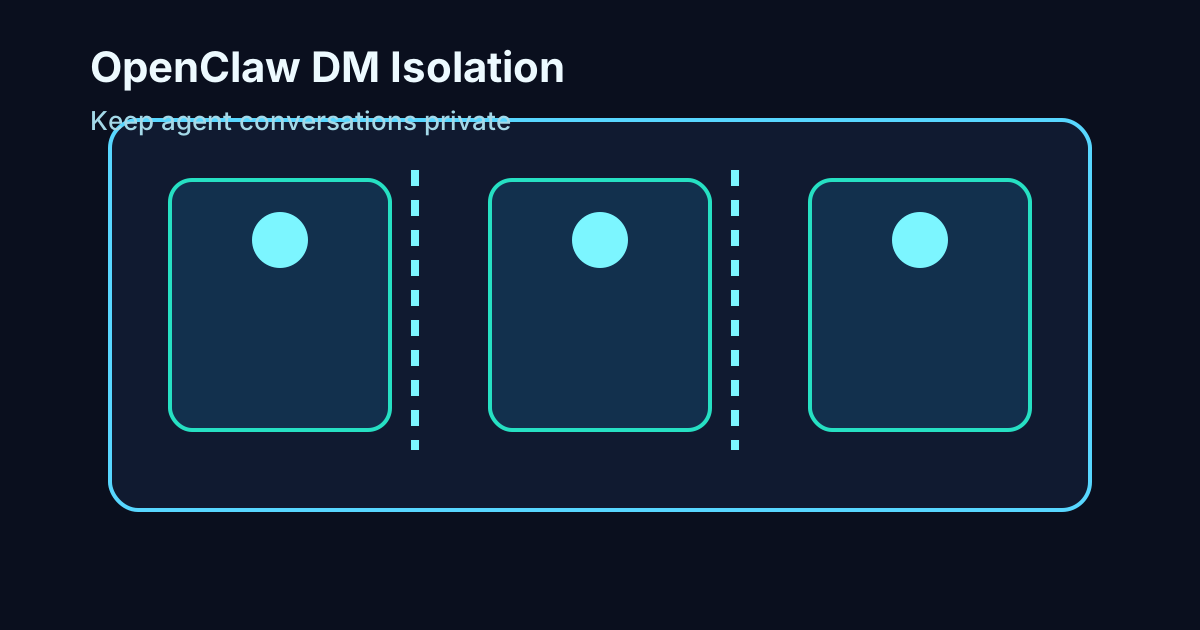
If you want the short answer, OpenClaw DM isolation decides whether private messages share one session or get separated by sender and channel, and that setting matters a lot if more than one person can message your agent.
This is one of those settings that feels small until it becomes a real problem.
In a single-user setup, shared DMs are often fine. The default continuity can even feel convenient. But once multiple people can reach the same agent, shared session context stops being helpful and starts becoming risky. Private context can bleed across users, replies can inherit the wrong assumptions, and a clean assistant setup suddenly feels sloppy.
That is why DM isolation deserves more attention than it usually gets.
This guide explains how OpenClaw routes direct messages, what the different isolation modes mean, when to change the default, and how to think about privacy without making your setup harder than it needs to be.
What is DM isolation in OpenClaw?
DM isolation is the rule that determines how OpenClaw groups direct messages into sessions.
According to the OpenClaw session docs, all DMs share one session by default. That default is called main. It works well enough when only one person is talking to the agent. The problem is that it can also mix private message context from different senders if multiple people have access.
The docs call this out directly: if multiple people can message your agent, shared DMs can expose one person’s conversation context to another.
The DM isolation options that matter
The session docs list four main DM scope options:
main, the default, where all DMs share one sessionper-peer, which isolates by sender across channelsper-channel-peer, which isolates by channel plus senderper-account-channel-peer, which isolates by account, channel, and sender
For most multi-user setups, per-channel-peer is the practical answer.
It gives you strong separation without making the configuration harder than it needs to be. The docs explicitly recommend it when multiple people may contact the same agent.
A basic configuration looks like this:
{
  session: {
    dmScope: "per-channel-peer",
  },
}
That single change can prevent a lot of avoidable confusion.
Why shared DM sessions become risky
Imagine one person uses the agent for planning notes, another uses it for support requests, and a third uses it for internal ops questions. If all of those direct messages land in one shared session, the model can inherit the wrong context from the wrong person.
That does not always show up as a dramatic privacy failure. Sometimes it shows up as a subtle trust failure first. The agent references the wrong topic. It remembers the wrong preference. It answers as if this user saw a previous exchange they never saw.
That is enough to make an agent feel unreliable.
When the default is fine
To be fair, shared DMs are not always wrong.
If the agent is personal, single-user, and only you can message it, one shared session can be a perfectly reasonable default. It makes the conversation feel continuous, and you do not need to think much about routing.
The mistake is assuming that setup still makes sense once access broadens.
The best rule of thumb
If more than one human can DM the same agent, isolate those sessions.
How to think about isolation across channels
The docs also note that if the same person contacts you from multiple channels, identity linking can matter. Otherwise you may isolate too aggressively and split one person’s context into several separate threads.
That is why the best DM isolation setting depends on what you are optimizing for.
If privacy between users is the primary concern, stronger separation wins.
If continuity for one known person across channels matters more, you may also want to look at session.identityLinks so the same human can remain the same identity even when they switch surfaces.
A practical setup path
For most teams, the safest rollout path looks like this:
1. start with per-channel-peer
2. verify that each person gets clean session separation
3. test the routes where one user contacts the agent from more than one channel
4. only then decide whether identity linking is worth adding
That sequence keeps the privacy issue simple.
How to verify your setup
The session docs point to openclaw security audit as the right place to verify isolation and broader security posture.
That is helpful because DM isolation is not a “set it and forget it” issue. It is something you should confirm after configuration, especially if your agent is accessible in more than one place.
Common mistakes
Leaving the default in place after adding more users
This is the big one. A default that was harmless in a one-person setup becomes a liability once access widens.
Confusing convenience with safety
Shared context can feel nice until it starts crossing user boundaries.
Overcomplicating the first fix
You usually do not need an elaborate routing design. In many cases, per-channel-peer is enough.
Internal links worth reading next
- What is OpenClaw
- Setup guide
- Memory guide
- OpenClaw memory best practices
- OpenClaw session management guide
Official references:
Final take
DM isolation is not just a routing detail. It is one of the clearest ways to keep an agent private, predictable, and safe once more than one person can reach it.
If your setup is single-user, the default may be fine. If it is not, isolate sooner rather than later.
FAQ
What is OpenClaw DM isolation?
It is the setting that decides how direct messages are grouped into sessions.
What is the default DM scope?
The default is main, which shares one session across DMs.
What is the safest setting for multiple users?
In most cases, per-channel-peer is the best practical choice.
Can the same user keep continuity across channels?
Yes, identity linking can help if you want one person recognized across multiple channels.
How do I verify the setup?
Use openclaw security audit and test real message flows after changing the config.
A concrete example of when isolation matters
Suppose a founder uses the agent for private planning, an operator uses it for logistics, and a contractor uses it for task questions. If all three are in one shared DM session, the agent may carry forward the founder’s planning context into the operator’s thread or answer the contractor as if they were already aware of internal notes they never saw.
Even if no dramatic leak happens, that kind of crossover feels wrong immediately.
The assistant stops feeling like a reliable private helper and starts feeling like a confused shared inbox.
Privacy and trust are connected
This is why DM isolation is not just a security checkbox. It also shapes how trustworthy the assistant feels.
When people sense that an agent might pull in the wrong private context, they naturally hold back. They share less. They test less. They trust less.
A cleaner isolation model helps the assistant feel more professional because each conversation stays where it belongs.
When to use per-peer
per-peer can make sense when you want one sender to carry their continuity across channels.
That can be useful in setups where the same known person talks to the agent through different surfaces and you want their context to travel with them.
The tradeoff is that this model depends more on identity assumptions. If your environment is messy, shared devices exist, or channel identity is inconsistent, per-channel-peer is often the safer practical default.
When per-account-channel-peer is worth it
The most specific option is per-account-channel-peer, which isolates by account, channel, and sender.
This is often more than small teams need, but it can be useful when account boundaries matter or when one infrastructure layer could otherwise blur distinct identities.
The broader point is simple: isolation strength should match exposure risk.
A simple rollout checklist
If you are changing DM isolation in a live setup, use a checklist.
- confirm who can currently message the agent
- decide whether continuity or separation matters more
- set
dmScopedeliberately - test DMs from at least two different users
- test the same user across multiple channels if relevant
- run
openclaw security audit
That takes a little time, but it is much better than assuming the default is still safe after the environment changes.
What to tell your team
If an assistant is shared across several people, it helps to explain the behavior plainly.
Tell people whether private DMs are isolated, whether channel changes create separate sessions, and whether identity linking is in use. Clear expectations reduce weirdness.
Why this matters for production setups
Many teams start with a personal OpenClaw install and only later expand it into something shared. That is exactly when old defaults become risky.
A production-minded setup needs explicit boundaries, not inherited assumptions from a one-person sandbox.
One practical recommendation
If you are unsure, choose the more isolated option first. It is usually easier to intentionally reconnect continuity later than to undo a trust problem after the fact.
Related posts
View allAI Agent Runbook Template: How to Build Repeatable Agent Workflows
April 24, 2026
A practical AI agent runbook template for OpenClaw teams, including what to include, how to structure approvals and escalation, and how to turn one-off workflows into repeatable operations.
How to Install OpenClaw on Ubuntu
April 20, 2026
A practical guide to installing OpenClaw on Ubuntu, running onboarding, checking gateway health, and fixing the setup issues that trip up first-time installs.
OpenClaw Mac Mini Setup Guide: How to Run an Always-On Agent at Home
April 20, 2026
A practical guide to setting up OpenClaw on a Mac Mini, installing the gateway daemon, keeping it stable, and turning it into a reliable always-on home agent box.