Blog
OpenClaw Memory Stack: Why Lossless-Claw + Honcho + QMD Is the Best Setup Right Now
A practical guide to the best OpenClaw memory stack right now, when to use lossless-claw, Honcho, and QMD together, and when a simpler setup is the smarter move.
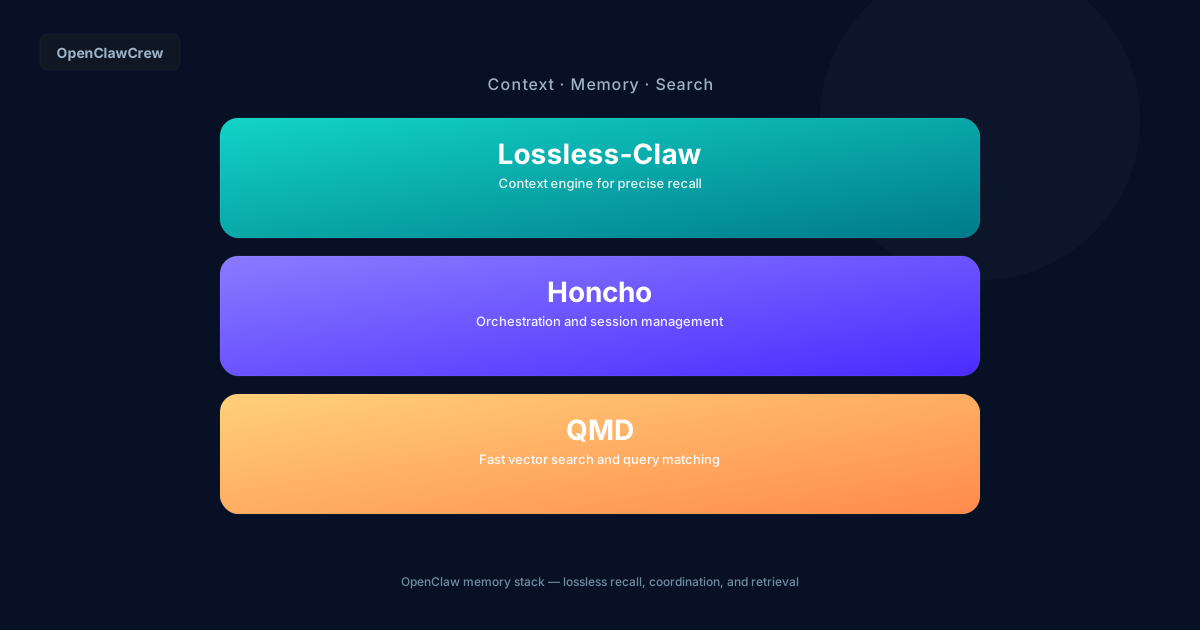
Short answer: if you are building agents you expect to stay useful for weeks, this OpenClaw memory stack is the cleanest way to stop re-explaining yourself.
You run lossless-claw to assemble context and compact it safely, Honcho to carry memory across sessions, and QMD to search your local docs, transcripts, and notes without turning your workspace into a junk drawer.
This is not the default setup, and it should not be. It is the setup you reach for when the stakes are higher than “help me write a paragraph.”
The problem this stack actually solves
Most “memory” setups fail for one of three reasons:
- You confuse context with memory. Your agent needs a tight prompt now, not a pile of old notes.
- You store things, but you cannot find them. The files exist, but retrieval is slow, brittle, or forgotten.
- Cross-session continuity breaks. New session, new agent, or a reset means your “assistant” acts like a stranger.
Lossless-Claw, Honcho, and QMD address those three failure modes as separate layers. That separation is why it works.
If you want the baseline first, start with OpenClaw memory setup: how to give your agent context that lasts, then come back here when you feel the pain.
What each layer does (and what it does not)
Lossless-Claw: context assembly and compaction
Lossless-Claw is a context engine, not “memory” in the casual sense.
It helps you:
- assemble the right slices of conversation and working notes for the next turn
- compact long histories without losing critical details
- recall prior decisions without hallucinating the missing parts
It does not replace a durable memory store. It makes sure the agent gets the right context window, in the right shape, at the right time.
If you keep getting bitten by resets or long threads, read OpenClaw session management: how context and resets actually work.
Honcho: cross-session memory
Honcho is the layer that makes your agent recognize your world across sessions.
Use it for:
- stable facts (your project names, preferences, constraints)
- durable decisions (“we ship on Fridays,” “this client hates long emails”)
- learned patterns that should carry forward
Do not use it as a dumping ground for every log line or every meeting transcript. That is how you get bloated, low-signal memory that hurts more than it helps.
QMD: local-first search for docs, transcripts, and notes
QMD is your “find it fast” layer.
Use it when the answer exists somewhere in your workspace:
- a product spec in markdown
- a call transcript
- a bug triage note
- an email draft you want to reuse
QMD is not a chat-history tool. It is how you retrieve from your local knowledge base quickly and reliably.
If your workspace is messy, retrieval is messy. Fix your file hygiene first with OpenClaw workspace design best practices for reliable agents.
Where memory-wiki fits
memory-wiki is optional. Think of it as a compiled knowledge layer that can sit beside your active memory plugin.
It is not a replacement for lossless-claw or Honcho. It is what you add when your notes are good but scattered, and you want a cleaner “what we believe to be true” reference.
Why the combination beats single-plugin setups
Single-plugin setups usually force one tool to do three jobs:
- pick context for the next turn
- remember the long-term facts
- search the messy real world of files
That is a recipe for frustration.
This stack is better because:
- Lossless-Claw keeps the prompt small and accurate. Less drift, fewer “you never told me that” moments.
- Honcho preserves continuity. New session does not mean a blank slate.
- QMD gives you receipts. You can point to the source file and move on.
Who should use this OpenClaw memory stack
Use Lossless-Claw + Honcho + QMD if you are:
- running an agent daily for real work (ops, research, engineering, sales, support)
- collaborating across multiple sessions or multiple agents
- managing a growing workspace with specs, transcripts, and decisions
- tired of re-onboarding your own assistant
If you are just getting started, install OpenClaw first and keep it simple with how to install OpenClaw, the fastest way to get started.
Who should keep it simpler
Keep it simpler if you are:
- using OpenClaw for occasional one-off tasks
- still figuring out a folder structure and naming conventions
- not willing to maintain a memory hygiene loop (pruning, updating, correcting)
A smaller setup that you actually maintain beats an elaborate stack you ignore.
For practical habits that keep any setup healthy, use OpenClaw memory best practices: how to keep agents useful.
A practical way to think about the data flow
When you ask a question, the agent should:
- Search locally (QMD) for the relevant doc, transcript, or note.
- Pull durable facts (Honcho) that frame the answer.
- Assemble a clean prompt (Lossless-Claw) that includes only what matters right now.
That is the whole game. Fast retrieval, stable memory, accurate context.
CTA: want this set up without babysitting it?
OpenClawCrew is the fastest way to get a workspace worth remembering.
If you want agents that stay sharp across weeks of work, we will help you set up the memory layers, the workspace conventions, and the operating rhythm so it does not rot.
FAQ
Do I need all three, Lossless-Claw, Honcho, and QMD?
No. Add the layers when you feel the specific pain.
If you only have “I keep losing context,” start with Lossless-Claw.
If you have “new sessions forget everything,” add Honcho.
If you have “the answer is in my files but we cannot find it,” add QMD.
Is this the default OpenClaw configuration?
No. Treat it as a strong, opinionated setup for serious, long-running agent work.
Where should I put transcripts and docs so QMD actually helps?
Put them somewhere boring and consistent.
A simple pattern (for example, /memory, /docs, /transcripts) beats clever folder names. The goal is predictable retrieval, not aesthetics.
What is the biggest mistake people make with Honcho?
Storing everything.
Honcho should hold durable facts and decisions. If you dump raw logs and long transcripts into cross-session memory, you get noisy recall and slow drift.
What does memory-wiki replace?
Nothing.
Use it as an optional compiled layer that sits beside your active memory plugin, so the agent has a cleaner reference when your knowledge base grows.