Blog
Draft-First AI Agent Workflows: How to Automate Without Losing Control
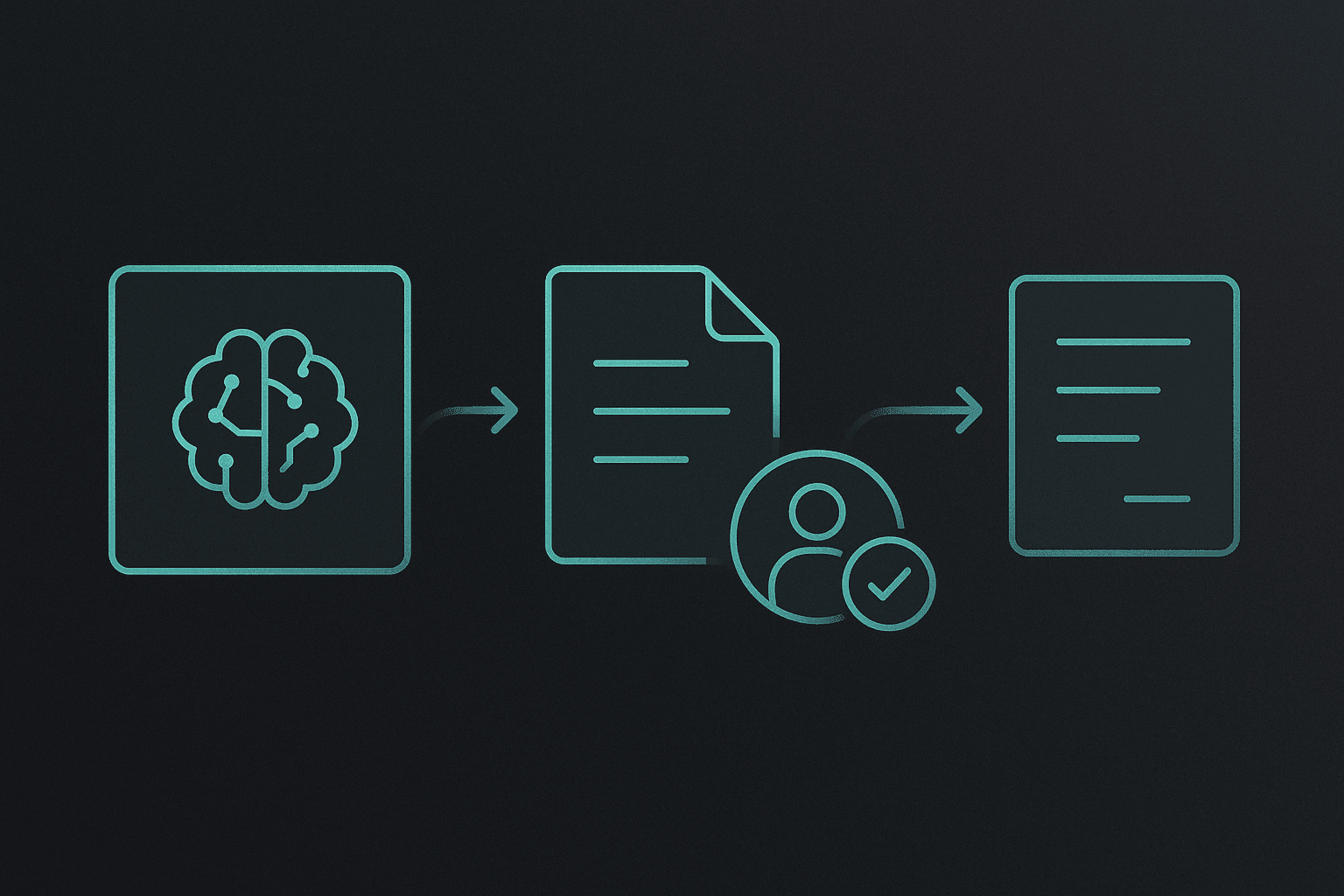
If you want AI agent workflows that actually help without creating cleanup work, the safest and most useful pattern is usually draft-first. Let the agent prepare the message, summary, handoff note, or next-step plan, then keep the final send, publish, or approval decision with a human until the workflow proves itself. That is the practical answer.
This is one of the biggest mindset shifts in real automation. A lot of people think the goal is full autonomy as fast as possible. In practice, most teams get better results by removing the blank page, not by removing the human.
That is why draft-first works so well.
It gives you most of the speed benefit while keeping the risk, brand drift, and weird edge cases under control.
This guide explains what draft-first really means, where it works best, how to structure the review step, and how to know when a workflow is ready for more autonomy.
If you want the broader workflow foundation first, read AI Agent Guardrails Best Practices for OpenClaw, How to Build an AI Agent Workflow, and OpenClaw for Teams.
What draft-first actually means
Draft-first does not mean the agent is only a glorified autocomplete tool.
It means the agent does the heavy lifting up to the point where a human decision still matters.
That can include:
- drafting the reply
- collecting the context
- summarizing the current state
- proposing the next step
- formatting the result so review is fast
Then the workflow pauses for a human to decide whether the final action should happen.
That pause is not a weakness. For many workflows, it is the reason the system stays useful.
Why draft-first beats autopilot for most teams
The hard part in a lot of business workflows is not clicking send. The hard part is:
- gathering the context
- deciding what matters
- writing a usable response
- keeping the tone consistent
- remembering the next step
If the agent already did those parts, the human review step becomes short.
That is the leverage.
Autopilot sounds better in theory because it removes one more step. But in practice, that extra step is often the control point that keeps the workflow safe.
A wrong autopilot action can create:
- a brand problem
- a customer trust problem
- a process problem
- cleanup work that costs more than the saved time
A fast human approval usually costs much less than any of those.
Where draft-first works best
Draft-first is strongest in workflows where:
- the work happens often
- the output follows a recognizable pattern
- the final action still benefits from human review
- the cost of a wrong send or wrong decision is not trivial
Strong draft-first use cases include:
Customer replies
The agent can draft the reply, pull in the right details, and suggest the next step.
Sales follow-up
The agent can prepare the next touch, summarize the deal state, and tee up a useful message.
Support triage
The agent can classify the issue, draft the first response, and flag the cases that need escalation.
Internal status updates
The agent can gather the current state and produce a clean summary before a meeting or handoff.
Content workflows
The agent can draft the article, email, or social post, then leave review and final publishing to a human.
These workflows all benefit from automation, but they also benefit from one last human look.
Where draft-first may be more than you need
Not every workflow needs review forever.
For low-risk internal tasks, you may not need a human in the loop every single time.
Examples:
- internal file formatting
- low-stakes summaries for your own workspace
- recurring status checks that only report changes
- simple data reshaping with obvious outputs
The point is not that draft-first should be permanent everywhere. The point is that it is usually the right starting pattern for anything external, sensitive, or reputation-linked.
The five parts of a strong draft-first workflow
1. A clear trigger
The workflow should start in a defined way.
Examples:
- new inbound lead
- customer question arrives
- stale thread crosses a threshold
- scheduled weekly update time arrives
If the trigger is vague, the workflow starts out fuzzy.
2. A bounded draft output
The agent should know what to return.
For example:
- one short reply draft
- one summary plus next-step bullets
- one handoff note in a fixed structure
This matters because review gets slower when the output shape changes constantly.
3. An explicit review question
The human should know what they are approving.
Good review prompts are things like:
- send this draft as written?
- revise tone before sending?
- approve this next-step plan?
- publish this version or make edits first?
A workflow gets easier to approve when the question is obvious.
4. Clear escalation rules
The agent should know when to stop and ask for help instead of producing an overconfident draft.
Good escalation triggers include:
- missing critical information
- angry or unusual customer tone
- pricing, refunds, or legal questions
- conflicting instructions
- requests outside the written scope
Without escalation rules, the draft step can still become risky.
5. Logging and memory
A draft-first workflow gets better when the system remembers useful patterns.
That can include:
- preferred tone
- common objections
- recurring edge cases
- approval history for certain classes of tasks
This is where OpenClaw helps. You can keep the operating rules in files, not just in a temporary prompt.
How I would set this up in OpenClaw
In OpenClaw, draft-first works well because the workflow can be written into the workspace.
For example, an AGENTS.md section might say:
## Communication rules
- Draft all external replies first.
- Do not send, publish, or post externally without approval.
- If pricing, legal, or refund questions appear, escalate instead of guessing.
- Keep drafts short, direct, and ready to review quickly.
That one block does a lot.
It gives the assistant a stable operating rule instead of hoping it remembers the pattern from chat.
You can pair that with workspace files, a short heartbeat checklist, and supporting notes in memory so the workflow keeps improving over time.
A simple example
Imagine a support workflow.
The trigger is a new inbound support message.
A draft-first version might work like this:
1. read the message and relevant account context
2. classify the issue
3. draft the reply in the right tone
4. suggest whether the case needs escalation
5. wait for human approval before sending
That saves time because the human is reviewing a real answer instead of building one from scratch.
Common mistakes with draft-first workflows
Mistake 1: drafting too much
If the agent writes a giant essay every time, review becomes slow.
Short, reviewable drafts are usually better.
Mistake 2: no clear owner for approval
If nobody knows who approves the output, the workflow stalls.
Mistake 3: no escalation path
A draft-first workflow still needs a way to stop when the case is unusual.
Mistake 4: measuring only how much was automated
The real question is not "how much did the agent do?" It is "how much faster did the workflow become without creating cleanup?"
Mistake 5: removing review too early
A workflow should earn autonomy with repetition and reliability, not with optimism.
When to loosen the review step
Some workflows do become safe enough to automate more directly.
That usually happens when:
- the task is highly repetitive
- the failure cost is low
- the output is consistently correct
- the edge cases are well understood
- the agent has clear written rules for exceptions
Even then, many teams keep spot checks or keep review for higher-risk cases.
That is a healthy pattern.
What to measure
If you want to know whether draft-first is working, look at:
- review time per draft
- number of major edits needed
- number of escalations
- time to first response
- rate of incorrect or awkward drafts
- whether humans trust the workflow more over time
Those tell you much more than a raw "automation percentage" number.
Why this pattern matters so much for OpenClaw users
OpenClaw is especially good for draft-first work because the rules can live in stable workspace files instead of being reinvented on every turn.
You can combine:
AGENTS.mdfor operating rulesSOUL.mdfor toneUSER.mdfor business contextMEMORY.mdand daily logs for continuity- heartbeat or cron for recurring triggers
That makes draft-first workflows easier to maintain than loose prompt chains.
If you want the official references, review the OpenClaw docs and the OpenClaw GitHub repository. Those pair especially well with this pattern because OpenClaw is built around visible files, recurring routines, and practical human-in-the-loop workflows.
My recommendation
If you are deciding how to start automating a real workflow, start with draft-first.
It is the cleanest way to get speed without pretending the human no longer matters.
That is usually the difference between automation that helps and automation that creates brand-safe looking chaos.
FAQ
What is a draft-first AI workflow?
It is a workflow where the agent prepares the output, but a human still reviews or approves the final external or sensitive action.
Why is draft-first better than full autopilot at the start?
Because it keeps the speed benefit while reducing the cost of wrong outputs, edge cases, and reputation mistakes.
Which workflows are best for draft-first?
Customer replies, sales follow-up, support triage, handoff notes, content drafts, and other repeated workflows where review still matters.
Does draft-first slow automation down too much?
Usually no. In many cases it removes the slowest part, the blank page, while keeping a short control step.
When should I remove the approval step?
Only after the workflow proves reliable, the edge cases are understood, and the cost of a wrong action is low enough.
Related posts
View allAI Agent Runbook Template: How to Build Repeatable Agent Workflows
April 24, 2026
A practical AI agent runbook template for OpenClaw teams, including what to include, how to structure approvals and escalation, and how to turn one-off workflows into repeatable operations.
How to Install OpenClaw on Ubuntu
April 20, 2026
A practical guide to installing OpenClaw on Ubuntu, running onboarding, checking gateway health, and fixing the setup issues that trip up first-time installs.
OpenClaw Mac Mini Setup Guide: How to Run an Always-On Agent at Home
April 20, 2026
A practical guide to setting up OpenClaw on a Mac Mini, installing the gateway daemon, keeping it stable, and turning it into a reliable always-on home agent box.