Blog
OpenClaw Ollama Setup: How to Use Local Models With OpenClaw
Learn how to set up OpenClaw with Ollama, configure local model backends, and choose when Ollama or CLI backends make more sense for your workflow.
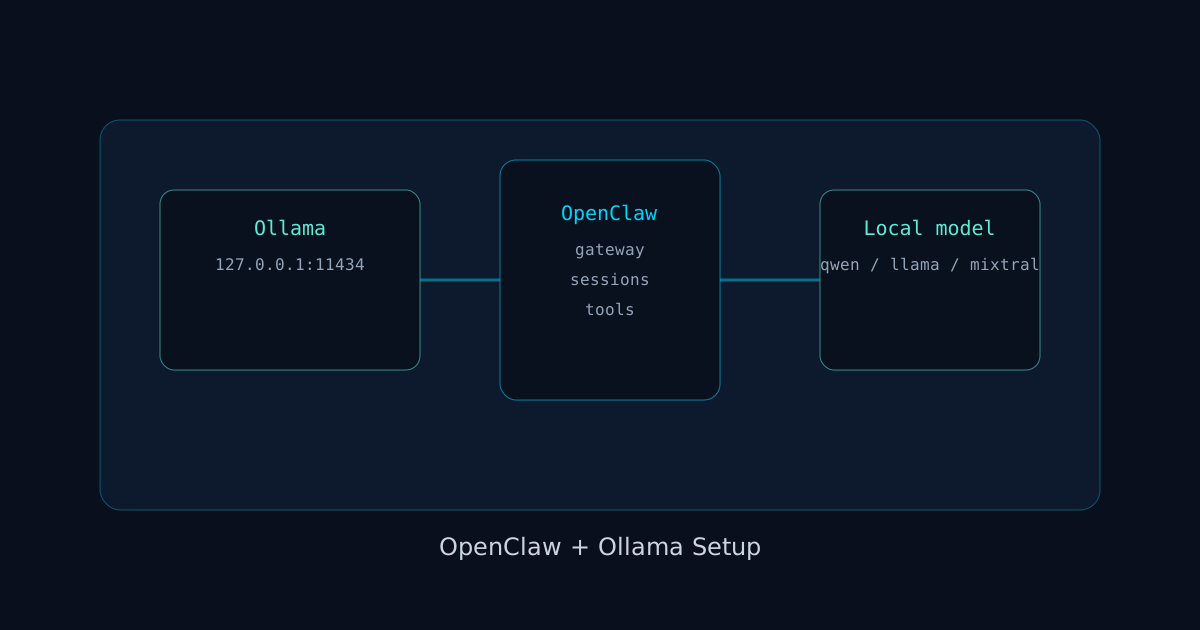
If you want to use local models with OpenClaw, the cleanest path is to point onboarding at Ollama, confirm the Ollama base URL, choose a model, then verify the gateway can actually use that local runtime. In practice, that means running OpenClaw onboarding with Ollama as the provider, making sure Ollama is reachable at http://127.0.0.1:11434, and then testing a real chat turn.
That gets you a local-model setup without depending on OpenAI or Anthropic for every message.
The harder part is understanding what Ollama is, how it differs from OpenClaw CLI backends, and when local models are the right choice instead of API providers or ACP sessions. This guide covers all of that.
If you are still at the basic install stage, read how to install OpenClaw the fastest way first. If OpenClaw is already installed and your next move is local models, this is the guide you want.
The short answer: how to set up OpenClaw with Ollama
The OpenClaw onboarding docs show a dedicated Ollama flow:
openclaw onboard --non-interactive \
  --auth-choice ollama \
  --custom-base-url "http://127.0.0.1:11434" \
  --custom-model-id "qwen3.5:27b" \
  --accept-risk
That is the non-interactive version. For most people, the interactive version is simpler:
openclaw onboardThen choose Ollama during onboarding.
The important details from the docs:
--auth-choice ollamais the provider selection- the default Ollama base URL is
http://127.0.0.1:11434 - the model id is optional, but it helps if you already know what model you want
What OpenClaw + Ollama actually means
When you pair OpenClaw with Ollama, OpenClaw still handles:
- the gateway
- sessions
- channels
- tools
- memory
- agent behavior
Ollama is just the model provider.
That distinction matters because a lot of people talk about "running OpenClaw locally" as if it were one thing. It is really two layers:
1. OpenClaw as the agent runtime and gateway
2. Ollama as the local model provider
If layer two is broken, OpenClaw is still installed. It just does not have a working model path.
Step 1: Make sure Ollama itself works first
Before you debug OpenClaw, verify Ollama is actually running.
At minimum, confirm the Ollama service is up and the base URL is reachable. The onboarding docs assume http://127.0.0.1:11434 unless you override it.
This is the most common mistake in local-model setups: people debug OpenClaw before verifying the local model server.
If Ollama is remote, use the correct host instead of localhost.
Step 2: Run OpenClaw onboarding with Ollama
Interactive path:
openclaw onboardChoose Ollama when prompted.
Non-interactive path:
openclaw onboard --non-interactive \
  --auth-choice ollama \
  --custom-base-url "http://127.0.0.1:11434" \
  --custom-model-id "qwen3.5:27b" \
  --accept-risk
Use non-interactive mode when you are automating a repeatable machine setup. Use interactive mode when this is a one-machine install and you want fewer moving parts.
Step 3: Verify gateway health after onboarding
Once onboarding is done:
openclaw gateway status
openclaw doctor
If the gateway is healthy but chats still fail, the most likely cause is that Ollama is not reachable or the selected model id is wrong.
Step 4: Test an actual message
Open the dashboard:
openclaw dashboardThen send a simple message. If the local model returns a reply, the integration is working.
Do not stop at config success. Always verify with a real message turn.
Ollama vs CLI backends: what is the difference?
This is where many setups get muddled.
Ollama is a local model provider. It plugs into OpenClaw as a model backend.
CLI backends are different. According to the OpenClaw docs, CLI backends are a text-only fallback runtime for local AI CLIs like Codex CLI or Claude CLI. They are intentionally conservative and are designed as a safety net when API providers fail.
The rule of thumb:
- use Ollama when you want local model inference as your provider
- use CLI backends when you want a local AI CLI as a fallback message runtime
- use ACP agents when you want a full external harness runtime with persistent sessions and ACP controls
Those are not interchangeable.
When Ollama is a great fit
Ollama is a strong choice when:
- you want lower per-message cost after local hardware is already in place
- you want a local-first stack
- you want to keep some workloads off third-party APIs
- you are okay with model quality depending on your machine and chosen local model
It is especially reasonable for personal agents, dev boxes, and experimentation.
When Ollama is the wrong fit
Ollama is usually the wrong first choice when:
- you need top-end coding quality every turn
- you need reliable multimodal performance from the start
- you want the simplest possible first-time setup
- your machine cannot run the model you want well
In those cases, starting with OpenAI, Anthropic, or Gemini through normal onboarding is easier. You can always come back to Ollama later.
Choosing a local model for OpenClaw
The docs show qwen3.5:27b as an example, but the right model depends on your machine.
Think in tradeoffs:
- smaller models start faster and run on more hardware
- larger models can be more capable, but they require more memory and patience
- local coding performance can vary a lot depending on quantization, context size, and hardware
The right move is not to guess from hype. Start with one model that fits your hardware, test real tasks, then upgrade only if the gap is obvious.
Common OpenClaw + Ollama setup mistakes
Mistake 1: Using the wrong base URL
The docs default to:
http://127.0.0.1:11434If Ollama is running on a different host, use that host explicitly.
Mistake 2: Picking a model id that is not available
The setup may save cleanly, but real requests will fail if the configured model id does not exist in your Ollama environment.
Mistake 3: Blaming OpenClaw for an Ollama issue
If OpenClaw installs cleanly, onboarding completes, and the gateway is healthy, the next place to check is Ollama itself. Keep the layers separate when debugging.
Mistake 4: Using Ollama when you actually want ACP or CLI backends
If your real goal is "run Codex inside OpenClaw" or "use Claude Code as a persistent coding harness," Ollama is not the right tool. That is ACP territory. If your goal is a local fallback text runtime from a CLI, that is CLI backend territory.
A practical local-first setup pattern
A good operator pattern looks like this:
- primary provider for quality-critical work
- Ollama available for local or lower-cost tasks
- CLI backend fallback if you want a resilient text-only backup path
The CLI backends docs show how OpenClaw can fall back from a primary provider to something like codex-cli/gpt-5.4. That matters because "local-first" does not have to mean "only local."
In practice, hybrid setups are often better than ideological ones.
Remote Ollama hosts and home-lab setups
A lot of people start with Ollama on the same machine as OpenClaw, then later move Ollama to a separate box with more RAM. That is fine, but it changes the failure pattern. If OpenClaw is local and Ollama is remote, network reachability becomes part of your model path. When replies fail, check the host, port, firewall, and whether that Ollama machine is actually serving the model you configured.
In other words, once Ollama leaves localhost, treat it like infrastructure.
A quick verification checklist after setup
Before you call the setup done, verify five things in order:
1. Ollama is running.
2. The configured base URL is correct.
3. The model id exists on that Ollama host.
4. openclaw gateway status is healthy.
5. A real dashboard message returns a real reply.
If you check those five in order, you usually find the problem fast. Most broken OpenClaw plus Ollama setups fail because one of those assumptions was never actually verified.
FAQ
Do I need Ollama to use OpenClaw locally?
No. OpenClaw can use cloud APIs just fine on a local machine. Ollama is for when you specifically want local model inference.
Is Ollama the same as OpenClaw CLI backends?
No. Ollama is a provider integration. CLI backends are a separate text-only fallback runtime for local AI CLIs.
Can I use Ollama as my only provider?
Yes, if your local models are good enough for your workload and your machine can run them reliably.
What is the default Ollama URL in onboarding?
http://127.0.0.1:11434
Should I use interactive or non-interactive onboarding?
Use interactive onboarding if this is a one-off setup on your own machine. Use non-interactive onboarding if you want a repeatable scripted setup.
What if I want Codex, Claude Code, or Gemini CLI inside OpenClaw?
Use ACP agents for persistent external harness sessions. Do not try to force Ollama into that role.
What should I read next after Ollama setup?
Best next steps:
Official docs to cite: